Ruby developers using Claude Code hit this pattern: you ask it to run tests, it picks the wrong Ruby version, fails, tries bundle install, fails again.
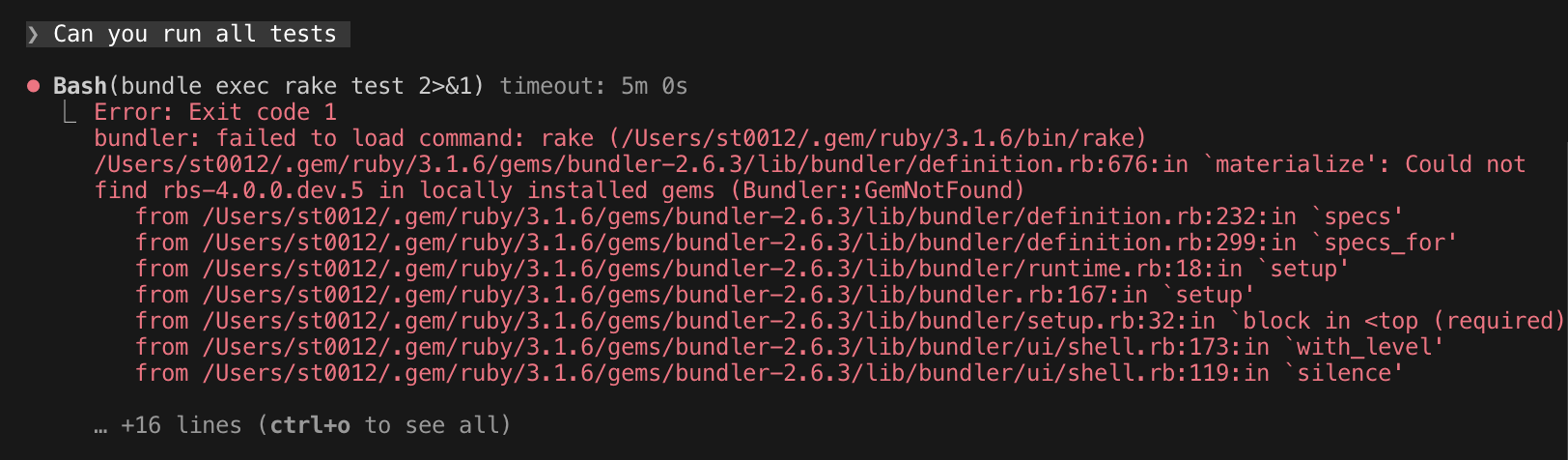
Eventually you add something like Use chruby 4.0.0 to run Ruby commands in either the project or your user-level CLAUDE.md.
While this is frustrating, I don’t blame Claude. Ruby has at least seven version managers - rbenv, chruby, rvm, asdf, mise, rv, shadowenv - and Claude doesn’t know which one you’re using.
This is an example of a bigger question: how can a community teach AI to handle its ecosystem’s quirks? Or how does it know about areas that are still rapidly developing, like the typing and tooling scene in Ruby?
So I built ruby-skills to solve the version manager problem and experiment with community-maintained guardrails for Claude Code.
What ruby-skills provides
Think of it as a starter pack for Ruby development in Claude Code - helping Claude understand your Ruby environment and find the right resources:
- Know how to run Ruby correctly - detects your version manager and activates the right Ruby version
- Know where to look for resources - points Claude to authoritative documentation sources
- Connect with the language server - integrates Ruby LSP for code intelligence
The project provides two plugins:
ruby-skills plugin
Contains Ruby-specific skills:
ruby-version-manager: Detects your version manager and which Ruby version your project requires. Instead of running bundle install and failing, Claude runs:
<version manager activation command> && bundle install
The activation command is prepended because Claude Code runs each command in a fresh shell - environment changes don’t persist between commands.
Ruby LSP’s VS Code extension solves the same problem for editors - it activates the correct Ruby so the language server and other extensions can invoke Ruby commands correctly. This skill does the same for Claude Code.
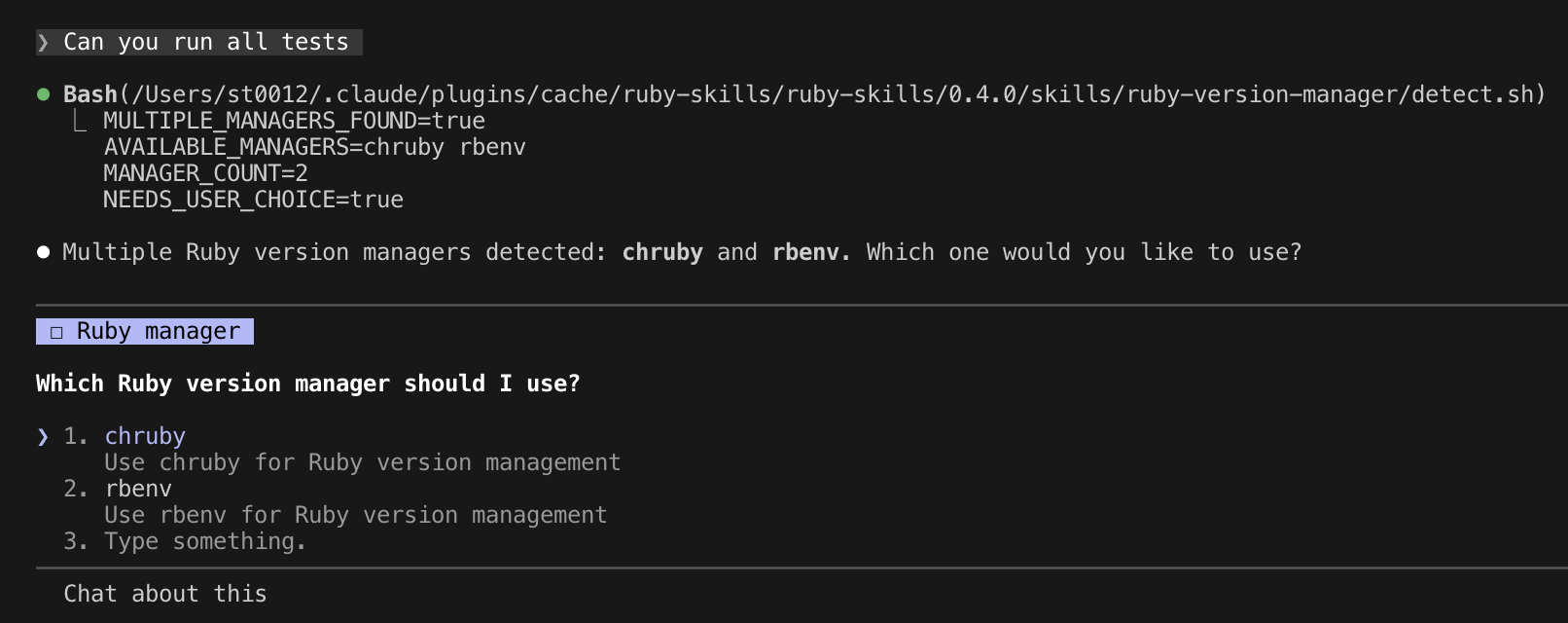
When multiple version managers are detected, Claude asks which one you prefer:
ruby-resource-map: Provides links to authoritative Ruby documentation (docs.ruby-lang.org) and advises avoiding known outdated sources like apidock.com (an unmaintained Ruby documentation site that often shows up in the top search results).
It also briefly explains the current situation in areas where official guidance is scarce or changing rapidly, like the typing ecosystem (Sorbet vs Steep, RBI vs RBS), and links to relevant projects. Without this, Claude might provide outdated suggestions based on old training data and bad references.
ruby-lsp plugin
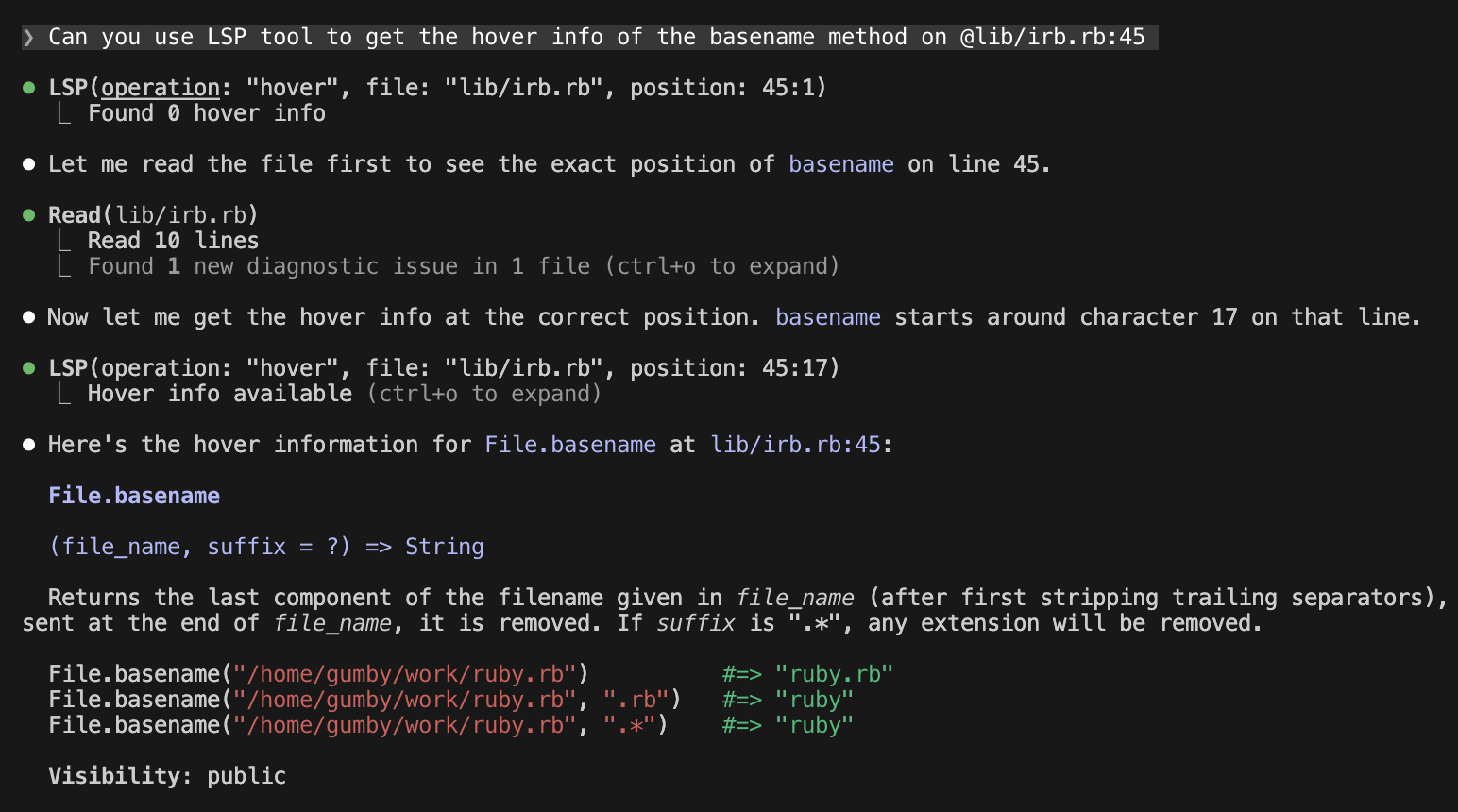
Integrates Ruby LSP for code intelligence - hover documentation, go-to-definition, diagnostics. It uses the version manager skill to activate the correct Ruby before running the LSP server. (Note: LSP integration in Claude Code is new and currently less feature-rich than MCP integration.)
A quick note on Claude Code plugins
Here’s some Claude Code terminology (see official documentation for details):
- Marketplace: A repository that hosts multiple plugins. Communities can create their own marketplace to distribute related plugins together.
- Plugins: Extend Claude Code’s capabilities. A plugin can provide LSP integration for code intelligence, MCP integration for custom tools, or skills that teach Claude domain-specific knowledge.
- Skills: Instructions that guide Claude’s behavior for specific tasks.
Anthropic maintains an official plugins repository with plugins for popular tools like Playwright and Sentry, as well as LSP integrations for many languages.
Why Claude Code specific
In the longer term, I want to make this project vendor-agnostic - it should work with Claude Code, Codex, OpenCode, etc. But I started with Claude Code because:
- I use it daily, at work and personally, so I can test what I build in real workflows.
- Claude Code has the most mature skill and plugin system and community. Building from here is easier.
What I think will happen with language-specific skills
As AI coding tools mature, I think language-specific plugins will naturally emerge from each community rather than being centralized in official or popular marketplaces. It makes more sense for people close to the tools to build and maintain these bridges - I’d expect something like ruby/agent-skills to eventually exist under the Ruby organization.
Generic AI tools handle syntax and common patterns well. But every language has ecosystem quirks that require community knowledge - the version manager fragmentation I described above is one Ruby-specific example that Rust or Go developers don’t face the same way. Contributing Ruby-specific logic to a centralized repository creates a mismatch: maintainers unfamiliar with Ruby would have to review and maintain code for tools they don’t use.
Skills also build on skills. Once Claude knows how to activate the right Ruby version, other Ruby skills become possible. A future RuboCop skill that configures project linting rules would need to invoke Ruby correctly first. The version manager skill becomes a foundation.
This is why instead of adding a ruby-lsp plugin to the official plugins repo, I decided to host it alongside the skill.
Try it out
# Add the marketplace
claude plugin marketplace add st0012/ruby-skills

# Install the plugins (format: plugin-name@marketplace-name)
claude plugin install ruby-skills@ruby-skills
claude plugin install ruby-lsp@ruby-skills
See the README for detailed documentation.
The long-term goal is to upstream these plugins to the ruby/ organization - the experiment is whether community-maintained skills are worth the effort. Feedback, issues, and contributions are welcome on GitHub.